cricbd8 App: Download & Install the APK on Your Android Phone
The cricbd8 app puts the full platform on your Android phone. Cricket, football, live casino, slots, crash games — all loading fast on a mobile connection. The APK is free, takes about two minutes to install, and works on Android 6.0 or newer.
Version 3.8.6 · 41 MB · Updated 3 November 2026 · Free
File: cricbd8.apk · 41 MB · SHA-256 verified · Scan the QR code below or tap the button above.
Scan to download on Android
App vs Browser: What You Actually Get Different
Both the app and the mobile browser version use the same account and the same wallet. The difference is speed, convenience, and a few features that only work natively on the app.
| Feature | cricbd8 App | Mobile Browser |
|---|---|---|
| Page load speed on 4G | Optimised — assets cached locally, noticeably faster on slow connections | Standard — full page reload each visit; slower on congested networks |
| Push notifications | Goal alerts, deposit confirmations, bonus unlocks | Not available |
| biometric login (fingerprint) | Supported on compatible Android devices | Password only |
| bKash / Nagad quick deposit | In-app redirect, auto-returns after payment | Works, but browser may block auto-redirect |
| Live score widget | Floating score bar while you browse other games | Not available |
| Offline mode (cached bets) | Draft bet slips saved locally, submitted when reconnected | Session lost on disconnect |
| Account & deposit access | Full access | Full access |
| Game library | All 4,600 games available | All 4,600 games available |
| Bonus & VIP access | Full VIP dashboard, bonus tracker | Available via browser |
| Installation needed | One-time APK install (~2 min) | No install required |
The app is the better choice if you follow live cricket or place frequent same-game bets. The browser is fine if you just need quick access from any device.
System Requirements & Version Details
The cricbd8 app keeps its Android footprint small so it runs well on budget phones sold in Bangladesh. Check the table to confirm your device qualifies before you download.
| Specification | Detail |
|---|---|
| App Version | 3.8.6 |
| File Size | 41 MB |
| Minimum Android Version | Android 6.0 (Marshmallow) or later |
| Last Updated | 3 November 2026 |
| Price | Free |
| Languages | English, Bangla |
| iOS / iPhone | No native app — use Safari "Add to Home Screen" instead |
| Minimum free storage | 80 MB recommended (app + cache) |
| Network | 3G, 4G, Wi-Fi — works on all three |
| File name | cricbd8.apk |
The APK is not listed on the Google Play Store. You download it directly from cricbd8.com. This is standard for gaming platforms in Bangladesh.
iPhone / iPad? Open cricbd8.com in Safari, tap the Share icon, then "Add to Home Screen". You get a shortcut that opens like an app — no install required.
Safety You Can Verify: Permissions & Security
The cricbd8 APK requests only the permissions it needs to work. Here is what each one does — and what the app will never ask for.
Encrypted Connections Only
All traffic between the app and cricbd8 servers uses TLS 1.3 encryption. Your account credentials, deposit details, and betting history are never sent in plain text. If your connection drops mid-deposit, the transaction either completes or rolls back automatically — no partial deductions.
Permissions the App Requests
The app asks for three permissions: Internet (to connect to the platform), Vibrate (bet-slip confirmation haptics), and Receive notifications (optional — for score and bonus alerts). It does not request access to your contacts, camera, microphone, SMS, or location.
File Integrity Check
Every release of the cricbd8 APK is SHA-256 signed. The file you download from /download/cricbd8.apk on this site is the only authorised copy. Do not install APK files sent to you via WhatsApp, Telegram, or SMS — those are often tampered versions from third parties. Always download from cricbd8.com directly.
Account & Session Protection
Sessions time out after 30 minutes of inactivity. On supported Android devices you can enable fingerprint login from Account Settings — this replaces your password for quicker access without reducing security. Two-factor verification is available for withdrawals over ৳10,000. Your account data is never shared with advertising networks.
How to Install the cricbd8 App on Android — 5 Steps
Android blocks apps from outside the Play Store by default. Step 1 lifts that restriction just for the cricbd8 APK. The whole process takes under three minutes.
-
1
Allow Installation from Unknown Sources
Go to your Android Settings → Apps → Special App Access → Install Unknown Apps. Find your browser (usually Chrome or Samsung Internet) and turn on "Allow from this source". This setting only affects files you deliberately download — it does not lower your phone's general security. You can turn it off again after installation.
-
2
Download the APK File
Tap the Download APK button on this page or scan the QR code with your Android camera app. The file cricbd8.apk (41 MB) will save to your Downloads folder. On a 4G connection this usually takes under 30 seconds. Make sure you have at least 80 MB of free storage before you start.
-
3
Open the Downloaded File
Pull down your Android notification shade and tap the completed download notification, or open your Files / My Files app and navigate to the Downloads folder. Tap cricbd8.apk. Android will show a confirmation screen with the app name and the permissions it requests. Review them and tap Install.
-
4
Wait for Installation to Complete
The installation progress bar takes about 10–20 seconds depending on your phone. When you see "App installed", tap Open to launch the cricbd8 app immediately, or tap Done if you want to open it later from your home screen. The cricbd8 icon will appear in your app drawer automatically.
-
5
Log In or Register Your Account
Open the app and tap Log In if you already have a cricbd8 account. New players: tap Register — the sign-up form takes about two minutes. After your first deposit (minimum ৳200 via bKash, Nagad, Rocket, Upay, or Bank Transfer), your welcome bonus unlocks automatically. See the registration guide for details.
iPhone / iPad Users
There is no cricbd8 iOS app on the App Store. Use Safari instead:
- Open cricbd8.com in Safari
- Tap the Share icon (box with arrow)
- Scroll down and tap Add to Home Screen
- Tap Add — the cricbd8 shortcut now appears on your home screen
The web app opens full-screen like a native app. All features including deposits and live betting are available.
Inside the App: Six Sections Worth Playing
The cricbd8 app organises its 4,600 games into clear tabs. Here is what each main section offers, with example games from the lobby.
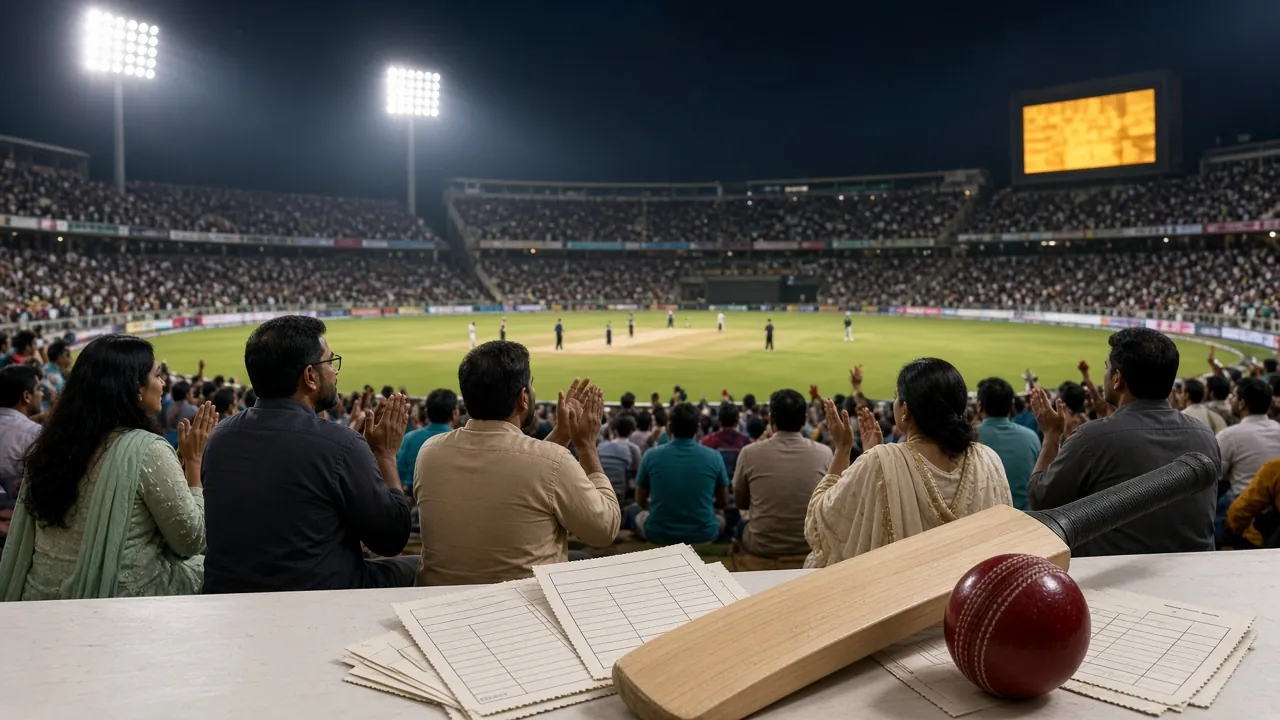
Cricket & Football Markets
Bet on BPL, IPL, T20 internationals, and ODIs in real time. The app shows ball-by-ball odds updates. Football covers local leagues and international matches including in-play 1X2 and Asian Handicap markets. Bet slips save as drafts if your connection drops.
Slots from Top Providers
More than 3,000 slot titles load inside the app without switching to a browser. Popular picks include Dragon of Demons (Ezugi, RTP 95.7%), Monster Mine (Habanero, RTP 97.1%), and Dragon Tiger (PG Soft, RTP 97.8%). Minimum bet on most slots starts at ৳2.

Live Tables with Real Dealers
Stream baccarat, roulette, blackjack, and Teen Patti tables direct from studios. Double Exposure Blackjack (PG Soft, RTP 95.4%) is one of the better-value live table options on the platform. Table minimums in the app start lower than on desktop during off-peak hours.
Fishing Games — Up to ৳50,000 Max
Fishing games are among the most played categories in Bangladesh. The app carries Dragon Fishing 2 (Ezugi, RTP 95.5%), Monkey King Fishing (Ezugi, RTP 96.8%), and Fierce Fishing (PG Soft, RTP 96.5%). Max bet on Monkey King Fishing reaches ৳50,000 per round.
Crash & Instant Win Games
Crash games suit short-session mobile play well. You place a bet, the multiplier climbs, and you cash out before it crashes. Rounds last 10–40 seconds. Color Prediction (PG Soft, RTP 97.1%) and similar fast-round games are also in this section. Minimum bet is ৳2.
Deposit & Withdraw Inside the App
Tap the Wallet tab to deposit via bKash, Nagad, Rocket, Upay, or Bank Transfer. Minimum deposit is ৳200 and funds typically appear in your account within 2 minutes. Withdrawals process in around 22 minutes. The app also shows your active bonus progress and VIP cashback balance.
Get the cricbd8 App on Your Phone Now
Direct APK download — no Play Store account needed. File: cricbd8.apk · Size: 41 MB · Version: 3.8.6 · Android 6.0+
18+ only · Play Responsibly · Gambling involves financial risk
Scan QR with Android camera
Installation Problem Solver
These are the five most common issues players in Bangladesh report when installing the cricbd8 APK, with their likely cause and the fix.
| Problem | Most Likely Cause | How to Fix It |
|---|---|---|
| "Install blocked" message appears | Android's "Install Unknown Apps" permission is still off for your browser or file manager. This is the default state on all Android phones and is not an error with the APK file itself. | Go to Settings → Apps → Special App Access → Install Unknown Apps. Find the app you used to download the file (Chrome, Samsung Internet, or Files) and enable "Allow from this source". Then tap the APK file again. |
| "Parse error" or "App not installed" | The APK file did not finish downloading — the file is incomplete. This happens when a mobile data connection drops mid-download, or when the phone ran out of storage and the download was cut short. | Delete the incomplete file from your Downloads folder. Free up at least 80 MB of storage, then re-download the full 41 MB file with a stable connection (Wi-Fi or strong 4G). Check the file size matches 41 MB before tapping Install. |
| App installs but crashes immediately on launch | Your Android version is below 6.0, or the phone's RAM is fully occupied by other apps. The cricbd8 app requires Android 6.0 or later and at least 1 GB of available RAM to launch stably. | Check your Android version in Settings → About Phone. If it is below 6.0, use the mobile browser version at cricbd8.com instead. If your Android is 6.0+, force-close other apps and restart your phone, then open cricbd8 again. |
| Download link does not open / page says "file unavailable" | Some ISPs in Bangladesh temporarily block direct APK downloads. This is intermittent and not a problem with the file itself. It tends to happen more on Teletalk and some rural networks. | Switch from mobile data to Wi-Fi, or toggle Airplane Mode on and off to get a fresh network allocation. Alternatively, scan the QR code on this page using your camera app — this sometimes bypasses the restriction. Reach out to [email protected] if the issue persists. |
| App shows "Update required" immediately after install | You installed an older cached version of the APK that was saved on your phone from a previous attempt. The server has since pushed version 3.8.6 and the older build is below the minimum accepted version. | Delete the old APK from your Downloads folder, then return to this page and download the current build (v3.8.6, 41 MB, updated 3 November 2026). Do not install APK files stored in chat apps — always fetch a fresh copy from cricbd8.com. |
Still stuck? The 24/7 Live Chat in the app or at cricbd8.com connects you to a support agent who can screen-share and walk through the install with you.
The cricbd8 App at a Glance
-
Faster on 4G and mobile data
Assets load from local cache — noticeably quicker than the mobile browser on slow or congested networks.
-
Fingerprint login on compatible devices
Log in with biometrics on Android phones that support it. No password every single visit.
-
Push alerts for goals and bonus unlocks
Live score updates, deposit confirmations, and bonus notifications arrive even when the app is in the background.
-
bKash & Nagad in-app deposit
Payment redirect stays inside the app and returns automatically after payment. No browser pop-up blocking your deposit flow.
cricbd8.apk · 41 MB · SHA-256 verified · Updated 3 Nov 2026
Questions About the cricbd8 App
Answers based on what players actually ask when downloading the cricbd8 app for the first time.
1Is the cricbd8 APK safe to install on my Android phone?
Yes. The APK hosted at /download/cricbd8.apk on this site is the only official release. It is SHA-256 signed and contains only the three permissions described in the Security section above: Internet, Vibrate, and notifications. It does not touch your contacts, messages, camera, or location. The risk comes from unofficial copies — never install a cricbd8 APK sent via WhatsApp or Telegram, as third-party repacked files are sometimes modified. Downloading directly from cricbd8.com is safe.
2Why is the app not on the Google Play Store?
Google Play's content policy restricts real-money gambling apps in most regions, including Bangladesh. This is not specific to cricbd8 — nearly all betting platforms operating in Bangladesh distribute their Android app as an APK file from their own website. The process of enabling "Unknown Sources" and installing from the site is standard across the industry. The app's functionality is identical to what you would get from a Play Store listing.
3My phone runs Android 5.1. Can I still use the platform?
The native APK requires Android 6.0 as a minimum, so it will not install on Android 5.1. However, you do not need the app to use cricbd8. Open cricbd8.com in Chrome on your Android 5.1 device — the mobile website works on older browsers and gives access to the full game library, deposits, and withdrawals. If you plan to upgrade your phone, any Android 6.0+ device will run the app without issues.
4How do I update the cricbd8 app when a new version comes out?
The app will show a banner notification when an update is available — tap the banner and it takes you to the download page. Alternatively, come back to this page (/cricbd8-app/) and download the latest APK. Installing a new version over the existing one keeps your account, bet history, and settings intact. You do not need to uninstall first. The current version is 3.8.6, released 3 November 2026. Check this page for future updates.
5Does the app work on a tablet or a large-screen Android device?
Yes. The cricbd8 app adapts to larger screen sizes. On a tablet (7-inch or larger), the game lobby switches to a multi-column grid layout and live betting shows a wider odds panel. The APK is the same file — there is no separate tablet build. On Samsung DeX or devices running Android 12L (large-screen optimised Android), the app runs in windowed mode alongside other apps if your device supports that feature.
6Can I run the cricbd8 app on a PC or emulator?
Technically yes — Android emulators like BlueStacks or LDPlayer on Windows can run the APK. However, cricbd8 does not officially support or troubleshoot emulator installations. Some payment redirects (bKash, Nagad) rely on the mobile wallet app being installed on the same device, which does not work in an emulator. For desktop use, the full browser version of cricbd8.com works better and has no compatibility limitations.
7Do I need a separate account for the app, or is it the same as my web account?
It is the same account. Log in with the same phone number and password you use on the website. Your balance, active bonuses, VIP tier, and bet history are all synchronised in real time. If you have not registered yet, you can create your cricbd8 account directly inside the app — the registration form is the same as on the website. Once registered, your account works on any device: Android app, mobile browser, or desktop.
Related Guides on cricbd8
Once the app is installed, these pages cover the next steps most players need.
- 18+ Only
- SSL Encryption
- 24/7 Support
- bKash · Nagad